

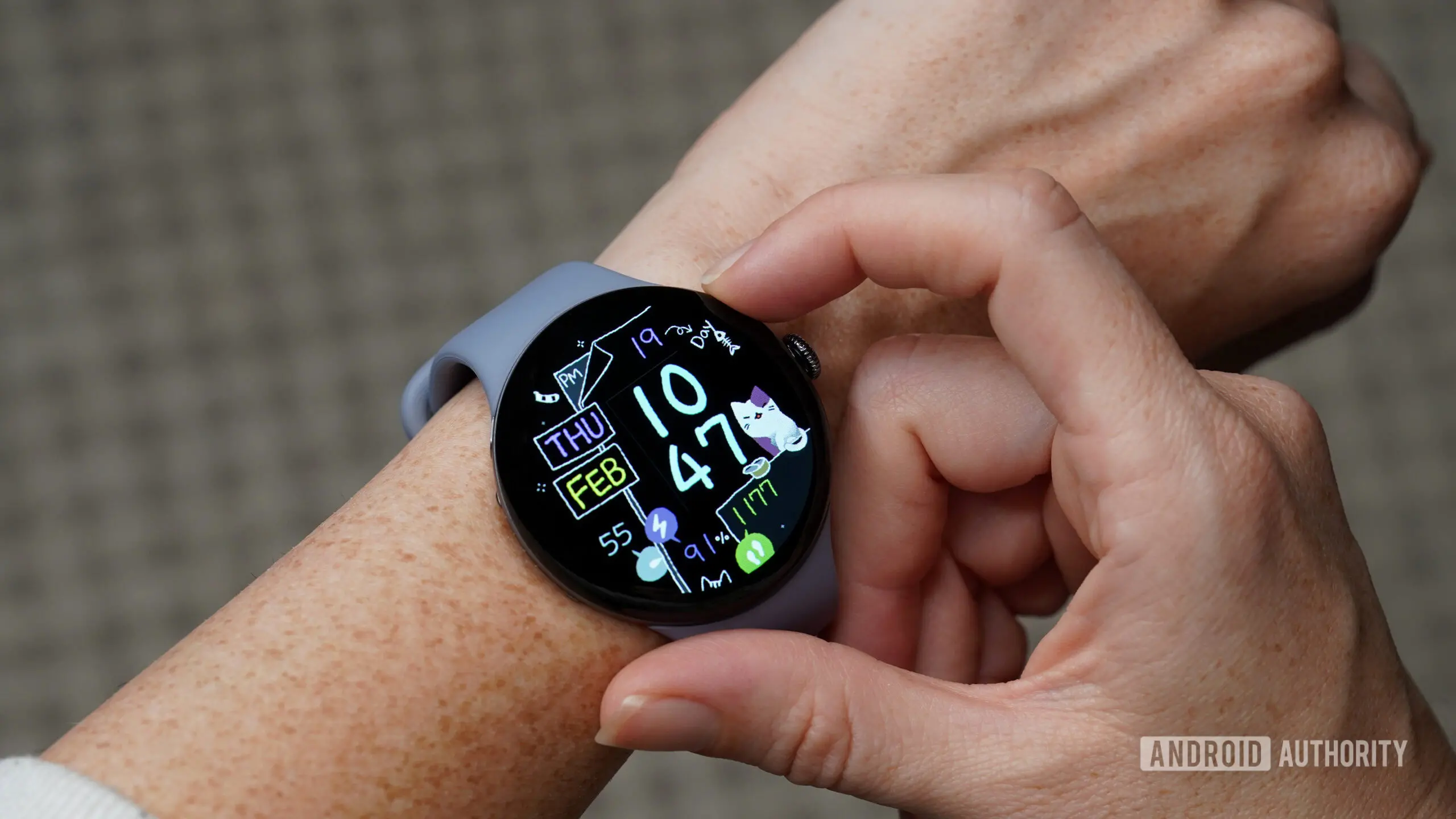
One of the most convenient features of the Google Pixel Watch is the ability to ring your phone when it goes missing under a couch cushion or gets buried in a bag. It’s a simple but essential tool for many users—until it suddenly stops working. That is exactly what is happening to a growing number of Pixel Watch owners after a recent software update.
A Reddit post from a user named Silent_Polak detailed how the Find My Phone/ring feature on their Pixel Watch ceased to function following the latest software update. The user reported owning a Google Pixel Watch 3 for nearly a year without any issues, and the problem appeared immediately after installing the update. The post garnered a significant number of responses from other users who experienced the same problem, many expressing relief that they were not alone. Several users stated they rely on the feature daily and were frustrated to lose it without warning.
The Find My Phone feature typically works by sending a command from the watch to the paired phone, triggering a loud ringtone even if the phone is on silent. This functionality is part of the larger ecosystem of Google’s wearable integration, which includes notifications, health tracking, and voice assistant capabilities. The recent update appears to have broken the connection between the watch’s settings and the phone’s ability to receive the ringing command, leaving users to manually search for their devices.
Workaround discovered by users
In response to the widespread frustration, some users began investigating workarounds. One user shared a surprisingly effective temporary fix: instead of using the standard shortcut on the watch, they asked Gemini, Google’s advanced AI assistant, directly on the watch to locate their phone. Multiple people in the thread confirmed that this voice command method still worked for them. Interestingly, the user also noted that the Watch app on their Pixel phone became unusable after the update—opening and immediately crashing every time they tapped it. Restarting both the Google Pixel 10 and the Pixel Watch did not resolve the issue either. However, invoking Gemini on the watch bypassed the broken app and triggered the ring function successfully.
This workaround leverages the same underlying system that powers the Find My Phone feature, but through a different interface. Gemini on the Pixel Watch is capable of controlling various phone functions, including ringing, which appears to operate on a separate code path that has not been affected by the update. While not a permanent solution, it offers a lifeline for users who need to find their phones immediately.
Google acknowledges the issue
The good news is that Google has officially acknowledged the situation. Earlier today, the Pixel Watch team responded on Reddit, confirming that they are aware of the problem and are actively working on a fix that will be included in a future software update. In their response, the team pointed users to the same Gemini workaround as a temporary measure. The company also expressed gratitude for the community’s vigilance and assured users that the feature’s restoration is a priority.
This isn’t the first time a software update has affected core functionality on Pixel devices. In previous years, similar issues have arisen with other features such as always-on display, battery life, and Bluetooth connectivity. Google has generally responded with patches within a few weeks, though the timeline for this specific fix remains unclear. The company typically rolls out monthly security updates and quarterly feature drops, so affected users may need to wait until the next such release—or a possible emergency patch—if the issue is critical.
Why Find My Phone matters
For many people, the Pixel Watch is the fastest way to locate a misplaced phone before turning the entire house upside down. According to a survey conducted by Android Authority in 2025, nearly 70% of Pixel Watch owners use the Find My Phone feature at least once a week. The feature is particularly valued by users who frequently misplace their phones in cluttered environments or who have young children who may hide devices. In addition, the feature can be crucial in public settings where a lost phone might be quickly taken by someone else.
The functionality is not unique to Pixel Watches—other smartwatches from Apple, Samsung, and Garmin offer similar capabilities. However, the integration with Google’s ecosystem, including the ability to ring the phone even when it is on silent or Do Not Disturb mode, sets it apart. The recent update’s breaking of this feature has highlighted how much users depend on it as a daily convenience.
How the feature works technically
The Find My Phone feature on the Pixel Watch relies on a combination of Bluetooth Low Energy (BLE) and Wi-Fi Direct to establish a connection between the watch and the phone. When the user triggers the command, the watch sends a request to the paired phone via BLE. The phone then plays a ringtone, which is usually set to the device’s system default for incoming calls, even if the phone is in silent mode. This is achieved through a dedicated API within the Wear OS operating system that overrides the phone’s audio profile for that specific action.
The recent update likely introduced a bug in the BLE communication stack or the Wear OS app’s handling of that API. Since the Gemini workaround continues to work, it suggests that the voice assistant uses a different mechanism—possibly through Google Assistant’s cloud-based integration, which may not have been affected by the same code changes. The temporary fix reinforces the idea that the underlying functionality is still intact but the shortcut UI is broken.
User reactions and community support
The Reddit thread has become a gathering spot for frustrated users to share experiences and tips. Some users reported that they initially thought their phone’s ringer was broken or that the watch had a hardware malfunction, only to discover the issue was widespread. Others expressed concern that similar problems might occur with other watch features in future updates. The community quickly rallied around the Gemini workaround, with several users confirming its effectiveness. One long-time Pixel Watch owner said, “I was about to do a factory reset until I saw this thread. Thank you! Gemini saved me.”
Google’s acknowledgment on the platform was well received, though some users noted that the company could have been more proactive in communicating the issue to a broader audience via the Pixel Watch app or official support channels. As of now, the company has not issued a statement on its main blog or support page, leaving many users relying on social media for information.
Looking ahead
Google is likely to release a fix in the coming weeks, either as part of the next monthly update or through a dedicated hotfix. In the meantime, users are encouraged to use Gemini voice commands to ring their phones. To do this, simply press and hold the crown button on the Pixel Watch to activate Google Assistant (which now incorporates Gemini), then say “Find my phone.” The watch will then send the command to the paired phone and trigger the ringtone. This workaround has been tested by multiple users and appears to work reliably.
The situation serves as a reminder of the importance of robust testing before releasing software updates, especially for features that users rely on daily. While bugs are inevitable in complex software ecosystems, timely communication and rapid patches can help maintain user trust. For now, Pixel Watch owners can take comfort in knowing that a solution is on the way—and that a slightly less convenient but functional workaround already exists.
Source: Android Authority News